Creating an animated video traditionally requires a scriptwriter, illustrator, voice artist, animator, video editor, and several expensive software programs. This can make animation difficult for individual YouTubers and small content teams.
AutoDraft AI aims to simplify that process by bringing character creation, background generation, voiceovers, animation controls, and scene editing into one platform.
In this AutoDraft AI review 2026, we will explain its major features, benefits, limitations, pricing structure, use cases, and step-by-step workflow. We will also examine whether AutoDraft AI is a practical choice for YouTube creators in the United States.
What Is AutoDraft AI?
AutoDraft AI is an AI-powered creative platform designed for producing cartoon stories, animated videos, digital characters, backgrounds, voiceovers, and other visual assets.
It is primarily aimed at storytellers and video creators who want to make animated content without learning complicated professional animation software.
According to the company, AutoDraft AI can generate visual assets from:
- Text prompts
- Storyboards
- Sketches
- Reference images
- Flat-colored images
The platform also provides tools for character actions, facial expressions, lip-syncing, props, effects, chroma key, and layer management.
Instead of using one program to design characters, another to create voices, and another to animate scenes, creators can perform many of these tasks inside the AutoDraft ecosystem.
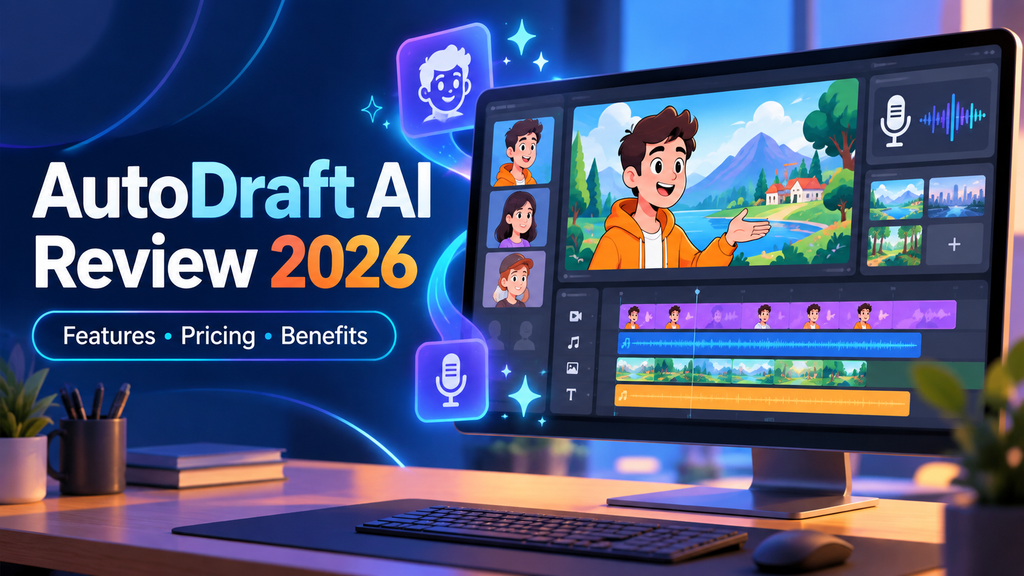
AutoDraft AI Overview
| Detail | Information |
|---|---|
| Tool name | AutoDraft AI |
| Category | AI animation and digital-art platform |
| Best for | YouTubers, storytellers and animation creators |
| Main purpose | Creating animated characters, scenes and videos |
| AI character creation | Available |
| AI background generation | Available |
| AI voiceovers | Available |
| Lip-syncing | Available |
| Editing tools | Effects, chroma key and layer controls |
| Supported devices | Desktop, laptop, Android and iOS |
| Free access | A free sign-up option is advertised |
| Official website | autodraft.in |
Who Is AutoDraft AI Designed For?
AutoDraft AI may be helpful for several types of creators.
YouTube Story Channels
Creators can produce moral stories, horror stories, comedy videos, animated dramas, and other narrative content without recording themselves on camera.
YouTube Shorts Creators
Short-form creators can use animated characters and quick dialogue scenes to produce content for YouTube Shorts, Instagram Reels, and TikTok.
Kids’ Content Creators
The platform can be used to create nursery-rhyme visuals, educational characters, simple stories, and entertaining animated lessons.
Creators targeting children should still follow applicable platform rules, advertising policies, and child-privacy requirements.
Teachers and Educational Creators
Teachers can use animated characters to explain lessons, introduce educational topics, or create visual examples that may be more engaging than a standard presentation.
Freelancers and Small Agencies
Freelancers can create animated explainers, social media videos, product stories, or brand mascots for clients without assembling a large production team.
Beginners
AutoDraft AI is particularly relevant to people who have an idea for a video but do not have advanced drawing, rigging, or frame-by-frame animation skills.
How Does AutoDraft AI Work?
The exact workflow depends on the selected tool, but a typical project involves the following stages:
- Write a story or video script.
- Divide the story into individual scenes.
- Generate the main characters.
- Create a background for each scene.
- Place characters and props inside the scenes.
- Select actions and facial expressions.
- Generate or upload narration and dialogue.
- Apply lip-syncing where required.
- Arrange and edit the scenes.
- Preview and export the final animation.
AI assists with asset creation, but creators still need to make important decisions about the story, pacing, scene composition, sound design, and final editing.
Major AutoDraft AI Features
1. AI Character Generator
The AI Character Generator helps creators design characters from written descriptions.
A prompt can specify details such as:
- Character age
- Facial appearance
- Hairstyle
- Clothing
- Body type
- Personality
- Story role
- Visual style
For example, a creator could request:
A friendly middle-aged science teacher wearing glasses, a blue shirt, gray pants, and white sneakers in a clean 2D cartoon style.
The generated character can then be used as a teacher, narrator, brand mascot, or recurring figure in an animated series.
AutoDraft’s own materials indicate that creators can select character structures and visual styles, including 2D comic-style and 3D-inspired options. Availability may vary by product version or subscription.
2. Character Consistency
One of the most difficult parts of AI storytelling is keeping the same character recognizable across multiple scenes.
AutoDraft AI is designed to let creators reuse characters throughout a project. This is important for YouTube series, because viewers need to recognize the hero, villain, narrator, or supporting characters from one scene to the next.
However, creators should still inspect:
- Facial features
- Clothing colors
- Body proportions
- Accessories
- Hair
- Character scale
AI consistency may reduce manual work, but the result should be reviewed before publishing.
3. AI Background Generator
AutoDraft AI can create backgrounds from text prompts, sketches, storyboards, and reference images.
Possible backgrounds include:
- Bedrooms and living rooms
- Offices and classrooms
- City streets
- Forests
- Farms and villages
- Futuristic cities
- Fantasy environments
- Horror locations
- Shops and restaurants
Creators can describe the location, time of day, lighting, camera angle, mood, and art style.
A detailed prompt might look like this:
Wide shot of a quiet suburban street in the United States at night, small houses with front lawns, warm porch lights, light fog, cinematic 2D cartoon style, no characters.
Using the same style instructions for every background can help create a more consistent video.
4. Storyboard-to-Image Generation
A storyboard helps creators plan what should appear in every scene before producing the full animation.
AutoDraft AI can turn storyboard ideas or sketches into more polished visual assets. This can be useful when a creator understands the scene composition but cannot draw a finished background.
Storyboards can define:
- Character placement
- Camera distance
- Important objects
- Movement direction
- Lighting
- Scene transitions
5. AI Voiceover Generator
AutoDraft AI includes AI voice-generation capabilities. The official website advertises hundreds of voice presets.
These voices may be used for:
- Narration
- Character dialogue
- Educational explainers
- Short-form videos
- Horror stories
- Promotional content
For content targeting a US audience, creators should choose voices with clear American English pronunciation when available.
Before exporting the video, listen for:
- Incorrect pronunciation
- Unnatural pauses
- Weak emotional delivery
- Inconsistent speaking volume
- Mispronounced names
- Incorrect emphasis
AI voiceovers can save time, but careful punctuation and sentence formatting are often necessary to produce natural speech.
6. Lip-Syncing and Facial Expressions
Lip-syncing matches a character’s mouth movement with spoken dialogue.
AutoDraft AI advertises more than 100 expressions and lip-syncing controls. These features can help characters appear surprised, angry, happy, frightened, confused, or sad while speaking.
Creators should match the expression to the dialogue. For example, a frightened character should not smile during a horror scene unless that contrast is intentional.
7. Character Actions
The platform advertises more than 1,000 action controls. These can make characters perform common movements without requiring the creator to animate each frame manually.
Potential actions may include:
- Walking
- Running
- Sitting
- Standing
- Talking
- Pointing
- Looking around
- Holding an object
- Reacting to another character
- Performing common activities
The exact collection of actions available may depend on the selected character, animation style, or plan.
8. Primary and Secondary Animation
Primary animation represents the main action, such as walking or talking. Secondary animation adds supporting movement, such as blinking, hand gestures, clothing motion, or a reaction.
Combining both can make a scene feel more natural. Too many simultaneous movements, however, can make the result distracting. Creators should keep the story and dialogue as the focus.
9. Custom Props
Props are objects that help explain what a character is doing.
Examples include:
- Mobile phones
- Books
- Laptops
- Furniture
- Food
- Tools
- Vehicles
- Bags
- Household items
- Story-specific objects
Custom props are particularly useful when a scene depends on an important object, such as a detective holding evidence or a teacher using a tablet.
10. Built-In Editing Tools
AutoDraft AI provides editing capabilities such as effects, chroma key, and layer management.
Layers allow creators to arrange visual elements in front of or behind one another. A basic animated scene might contain:
- Background
- Furniture
- Main character
- Foreground object
- Text or visual effect
Chroma key can help remove a solid-colored background or combine generated animation with footage created elsewhere.
Creators may still choose to complete final sound mixing, captions, transitions, or color correction in a separate video editor.
11. Text-to-Image Generation
The text-to-image tool can create illustrations and visual assets from written prompts.
It may be useful for:
- YouTube thumbnails
- Character concepts
- Backgrounds
- Story illustrations
- Social media graphics
- Video assets
- Reference images
The quality of the generated image depends heavily on the prompt. A useful prompt should specify the subject, setting, lighting, visual style, camera angle, mood, and aspect ratio.
12. Image Stylization
Image stylization converts an existing image into a different visual style.
For example, a creator may upload a reference and request:
- 2D cartoon style
- Comic-book style
- Anime-inspired style
- Watercolor illustration
- Children’s-book style
- Cinematic digital painting
Creators should only upload images they own or have permission to use.
13. Prompt Enhancement
AutoDraft’s published guidance describes a prompt-enhancement option that can expand a simple idea into a more detailed prompt.
For example, a user might enter:
A man standing outside a house at night.
The enhancement tool may add useful details concerning lighting, clothing, atmosphere, composition, and visual style.
This can be helpful for beginners who struggle to explain their ideas precisely.
14. Multiplatform Access
AutoDraft AI states that its tools support:
- Desktop computers
- Laptops
- Android devices
- iOS devices
Because animation projects can involve many layers and assets, a larger screen may provide a more comfortable editing experience. Mobile access may be more convenient for generating individual images, reviewing projects, or making smaller changes.
What Can You Create With AutoDraft AI?
AutoDraft AI can potentially support several types of content:
- Cartoon stories
- Animated YouTube videos
- YouTube Shorts
- Horror animations
- Children’s stories
- Educational explainers
- Animated social media posts
- Character-based comedy
- Motivational videos
- Brand mascots
- Product explainers
- Digital illustrations
- Storyboards
- Background images
- Thumbnail assets
- Short animated advertisements
The platform is most relevant when a project depends on recurring characters, multiple scenes, dialogue, and storytelling.
How to Use AutoDraft AI Step by Step
Step 1: Create an Account
Visit the official AutoDraft AI website and select the sign-up option. Review the available plans, credit limits, and usage terms before starting a large project.
Step 2: Prepare the Script
Write the complete story before generating assets. Divide it into short scenes and identify:
- Narration
- Dialogue
- Characters
- Locations
- Props
- Actions
- Emotions
- Camera shots
Planning first prevents unnecessary generations and may help conserve credits.
Step 3: Build a Character Guide
Create a fixed description for every major character.
A guide should include:
- Name
- Age
- Face shape
- Hair
- Clothing
- Height
- Personality
- Accessories
- Visual style
Reuse this description when generating or modifying the character.
Step 4: Generate the Characters
Open the character-creation tool and enter a detailed prompt. Select an appropriate character structure and style, then inspect the result carefully.
Finalize the main character before building the remaining scenes.
Step 5: Generate the Backgrounds
Create one background for every major location. Keep the visual style, lighting rules, and color palette consistent.
Do not include characters in the background prompt if you plan to add them separately inside the animation editor.
Step 6: Compose Each Scene
Place the characters, backgrounds, and props inside the scene. Adjust their position, size, and layer order.
Make sure characters do not appear to float, overlap incorrectly, or look significantly different in size between connected scenes.
Step 7: Add Actions and Expressions
Choose actions that match the script. Apply facial expressions according to the emotional purpose of each line.
Simple actions are often more effective than adding motion to every object.
Step 8: Generate or Upload Voiceovers
Add narration and dialogue using available AI voices or your own recordings.
For an American audience, review pronunciation, tone, pacing, and regional language. Avoid using an accent or speaking style that does not fit the character.
Step 9: Apply Lip-Syncing
Match dialogue with the correct character and preview the lip-sync. Shorter dialogue clips may be easier to manage than one long recording containing multiple speakers.
Step 10: Preview and Edit
Watch the full animation from beginning to end. Check:
- Character continuity
- Audio timing
- Mouth movement
- Scene duration
- Visual errors
- Music volume
- Text spelling
- Transitions
Step 11: Export the Project
Choose a suitable resolution and aspect ratio.
- YouTube videos: 16:9
- YouTube Shorts: 9:16
- Instagram Reels: 9:16
- Square social posts: 1:1
Review the current plan’s resolution, watermark, download, and commercial-use conditions before exporting.
Example: Creating a Cartoon Story
Imagine that you want to produce a YouTube video titled “The Delivery Driver Who Returned a Million-Dollar Package.”
You could use this workflow:
- Write a five-minute script.
- Divide it into 20 short scenes.
- Create the delivery driver, homeowner, and police officer.
- Generate suburban street, delivery van, house, and police-station backgrounds.
- Add a package as a recurring prop.
- Generate narration and individual character voices.
- Apply walking, driving, talking, and reaction animations.
- Add expressions such as confusion, fear, relief, and happiness.
- Arrange the scenes and apply lip-sync.
- Add licensed music, captions, and sound effects.
- Export and review the finished video.
This approach uses AI to reduce production work while keeping the story and creative direction under the creator’s control.
Benefits of AutoDraft AI
Faster Content Production
Generating characters, backgrounds, and voices in one ecosystem can reduce the time spent switching between multiple programs.
Lower Technical Barrier
Beginners can experiment with animation without first mastering drawing, rigging, keyframes, or advanced motion software.
All-in-One Workflow
Character creation, background generation, voiceovers, actions, and editing controls are available within the same creative platform.
Reusable Assets
Recurring characters and backgrounds can potentially be reused across episodes, which is useful for an ongoing YouTube series.
Useful for Faceless Channels
Creators do not need to appear on camera. They can build a recognizable channel around animated characters and original storytelling.
Reduced Production Costs
A solo creator may be able to produce simple animated videos without hiring a separate illustrator, animator, and voice actor for every scene.
This does not mean the platform replaces professional artists in every production. Complex commercial projects may still benefit from human specialists.
AutoDraft AI Limitations
AI Output May Require Corrections
Generated characters can contain visual problems involving hands, facial details, clothing, or proportions.
Consistency Is Not Automatically Perfect
Even tools designed for consistent characters may require manual review across poses, expressions, and scenes.
Credit-Based Usage
AI generations may consume credits. Creators producing long videos should calculate how many assets and revisions they may need.
Voice Quality Can Vary
Some AI voices may sound natural in one scene but emotionally flat in another.
Learning Is Still Required
The platform may be easier than traditional animation software, but creators still need to understand scripts, pacing, prompts, composition, and editing.
Professional Projects May Need Additional Software
Advanced sound design, custom motion, detailed color correction, or complicated effects may require a separate video editor or animation program.
AutoDraft AI Pricing
AutoDraft AI references different subscription levels and a credit-based system. However, prices, included credits, and plan conditions can change.
Before subscribing, check the official AutoDraft AI pricing page for current US dollar pricing.
Compare the plans based on:
| Pricing factor | What to check |
|---|---|
| Monthly price | Current cost in US dollars |
| Included credits | Number of credits received |
| Credit renewal | Monthly or one-time |
| Export resolution | Standard or HD |
| Watermark | Whether exports include branding |
| Voice generation | Included limits |
| Animation features | Which controls are available |
| Commercial rights | Permitted uses |
| Support | Type and response time |
| Cancellation | Renewal and refund conditions |
Do not select a plan based only on its monthly price. Estimate how many characters, backgrounds, voiceovers, and scenes you expect to generate.
What’s New in AutoDraft AI?
The AutoDraft website currently highlights Studio Animation as a newer platform offering. Its broader animation system includes character creation, AI backgrounds, voiceovers, props, expressions, lip-syncing, and scene controls.
Because AI platforms change frequently, creators should check AutoDraft’s official dashboard, blog, community channels, and release announcements for:
- New animation actions
- Additional templates
- Voice additions
- Improved character consistency
- Lip-sync updates
- New visual styles
- Export-quality changes
- Credit-policy updates
- Pricing changes
- Mobile improvements
An article should never describe a feature as a “new update” unless the company provides a date or release announcement.
Can You Monetize AutoDraft AI Videos on YouTube?
Using an AI animation tool does not automatically prevent a channel from being monetized. It also does not guarantee approval.
YouTube evaluates the overall value and originality of the content. Creators should add meaningful original work, including:
- Original scripts
- Creative storytelling
- Purposeful editing
- Original commentary
- Unique narration
- Custom scene direction
- Licensed music and sound effects
- Useful educational or entertainment value
Avoid mass-producing nearly identical videos with minimal changes.
Creators should also review AutoDraft AI’s current terms to confirm whether their specific subscription allows commercial use. Music, fonts, uploaded images, stock assets, and third-party voices can have separate licenses.
AutoDraft AI Pros and Cons
| Pros | Cons |
|---|---|
| Combines several animation tools | AI results may need corrections |
| Suitable for beginners | Credits can limit experimentation |
| Creates characters and backgrounds | Consistency should still be checked |
| Includes voiceover and lip-sync tools | Some voices may lack natural emotion |
| Supports multiple devices | Complex projects may need other software |
| Useful for faceless content | Commercial terms must be reviewed |
| Provides numerous actions and expressions | Final quality depends on the creator |
AutoDraft AI vs. Traditional Animation Software
| Feature | AutoDraft AI | Traditional animation software |
|---|---|---|
| Learning curve | Lower for beginners | Usually steeper |
| Character creation | AI-assisted | Primarily manual |
| Background creation | Prompt-based | Drawn or designed manually |
| Production speed | Potentially faster | Often slower |
| Creative control | Moderate to advanced | Extensive |
| Technical skills | Fewer skills required | Animation knowledge required |
| Best for | Creators and storytellers | Professional animation workflows |
Is AutoDraft AI Worth It in 2026?
AutoDraft AI may be worth considering if you want to produce cartoon stories, faceless YouTube videos, educational animations, or short character-based content without building every asset from scratch.
Its biggest attraction is the combined workflow. Creators can generate characters, design backgrounds, add voices, apply actions, manage expressions, and assemble animated scenes within the same platform.
However, it should not be viewed as a one-click replacement for creativity. A strong animated video still requires an original idea, engaging script, consistent characters, good pacing, accurate audio, and careful quality control.
The best approach is to test the available free access with a short project. Create the same character in several scenes, generate a background, test an American English voice, apply lip-sync, and review the export quality. This will reveal whether the workflow fits your content goals before you purchase a subscription.
Frequently Asked Questions
What is AutoDraft AI used for?
AutoDraft AI is used to create animated characters, backgrounds, voiceovers, visual assets, and cartoon-style videos with AI-assisted tools.
Is AutoDraft AI free?
The official website advertises a free sign-up option. Free-plan limits, credits, watermarks, and download conditions should be verified on the current pricing page.
Can beginners use AutoDraft AI?
Yes. It is designed to reduce the technical work involved in creating animations. Beginners must still learn basic prompting, storytelling, and scene editing.
Can AutoDraft AI create complete animated videos?
The platform provides character, background, voice, lip-sync, action, and editing tools that can support a complete animation workflow. The exact capabilities depend on the selected tools and plan.
Is AutoDraft AI good for YouTube?
It may be useful for cartoon stories, horror animation, kids’ content, educational videos, Shorts, and faceless storytelling channels.
Can AutoDraft AI videos be monetized?
Potentially, but monetization depends on YouTube’s policies, content originality, and the licenses attached to every asset. AutoDraft AI does not guarantee monetization approval.
Does AutoDraft AI generate voiceovers?
Yes. The platform advertises AI voiceover generation with numerous voice presets.
Does AutoDraft AI support lip-syncing?
Yes. Lip-syncing is included among the animation controls promoted on the official website.
Can it maintain the same character across multiple scenes?
AutoDraft AI is designed to support consistent and reusable characters. Users should still inspect every scene for visual differences.
Can I use AutoDraft AI on a phone?
The company states that its platform supports Android and iOS as well as desktop and laptop devices.
What are AutoDraft AI credits?
Credits represent usage within the platform and may be deducted when users generate specific assets or content. Check the current plan terms for exact deduction rules.
Is AutoDraft AI suitable for US creators?
Yes. US creators can potentially use it for YouTube videos, social content, educational animations, and marketing projects. They should check American English voice options, US dollar pricing, commercial rights, and applicable platform policies.
What are the best AutoDraft AI alternatives?
Potential alternatives include Animaker, Vyond, Adobe Character Animator, Renderforest, Canva, Steve AI, and Krikey AI. The best option depends on the required animation style, budget, voice quality, and level of manual control.
Final Verdict
AutoDraft AI offers a practical collection of AI-powered tools for creators who want to build cartoon characters, backgrounds, voiceovers, and animated scenes without using a complicated traditional production setup.
It appears most suitable for YouTubers, storytellers, educational creators, and small teams that need to publish animated content regularly. Its character controls, backgrounds, voice generation, expressions, actions, props, lip-syncing, and layer tools make it more specialized for storytelling than a standard AI image generator.
Before paying, test a complete short scene and verify the current pricing, credit usage, export quality, watermark rules, and commercial license. If its visual style and workflow match your channel, AutoDraft AI could significantly simplify animated content production.